
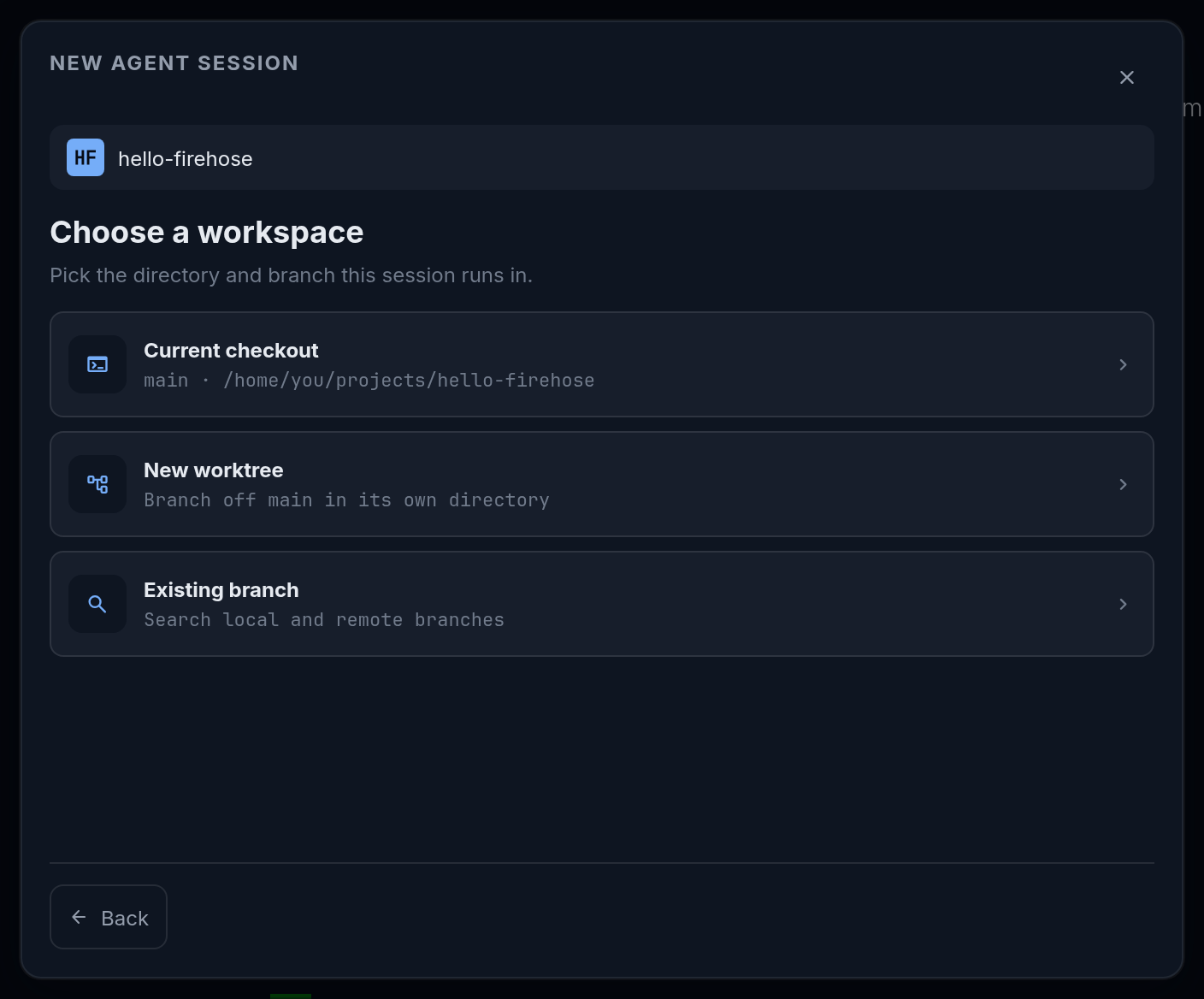
Put each session in the directory and branch intended for its task. Firehose offers three workspace choices during session creation.
A Git worktree is a separate checkout of a repository. It gives a task its own directory and branch while sharing the repository’s Git history.
Choose the right option
Section titled “Choose the right option”| Option | When to use it | What to check |
|---|---|---|
| Current checkout | You want the agent to use the project directory already on disk | Its branch and any existing uncommitted work |
| New worktree | You want a separate directory and branch for a new task | A clear, unused task or branch name |
| Existing branch | You want to continue work on a branch that already exists | The selected result’s branch and checkout information |
Start a separate task
Section titled “Start a separate task”- Select New session, the + button at the top right of the Sessions sidebar, and pick the project at Pick a project.
- Select Next: Choose a workspace.
- Select the New worktree card, which reads “Branch off main in its own directory” with your project’s base branch.
- Enter a Task or branch name, such as
greeting-blank-names. - Select Next: Choose agent.
- Review the agent, model, and autonomy settings, then select Start session.
The task name chooses the workspace; send the actual instructions in chat after the session starts. See make and review a change for an example.
Continue an existing branch
Section titled “Continue an existing branch”In New session, pick the project, select Next: Choose a workspace, then select the Existing branch card. Search in Search local and remote branches. The filters are Checked out, Local or remote, and All.
Each result says what it will do: Open existing checkout · <path> reuses a directory where the branch is already checked out, and Create worktree from <ref> makes a new one. Read it before selecting the result, then choose the agent and start the session.
Keep parallel work understandable
Section titled “Keep parallel work understandable”Use descriptive names and check the branch when switching sessions. Sessions in the same directory share files, so changes from one can affect another.
A worktree separates directories; it does not promise isolation for services, databases, or other resources outside the repository. Include any task-specific setup in the request you give the agent. Prepare each project workspace before implementation, then use Coordinate several sessions to assign work and review the results.